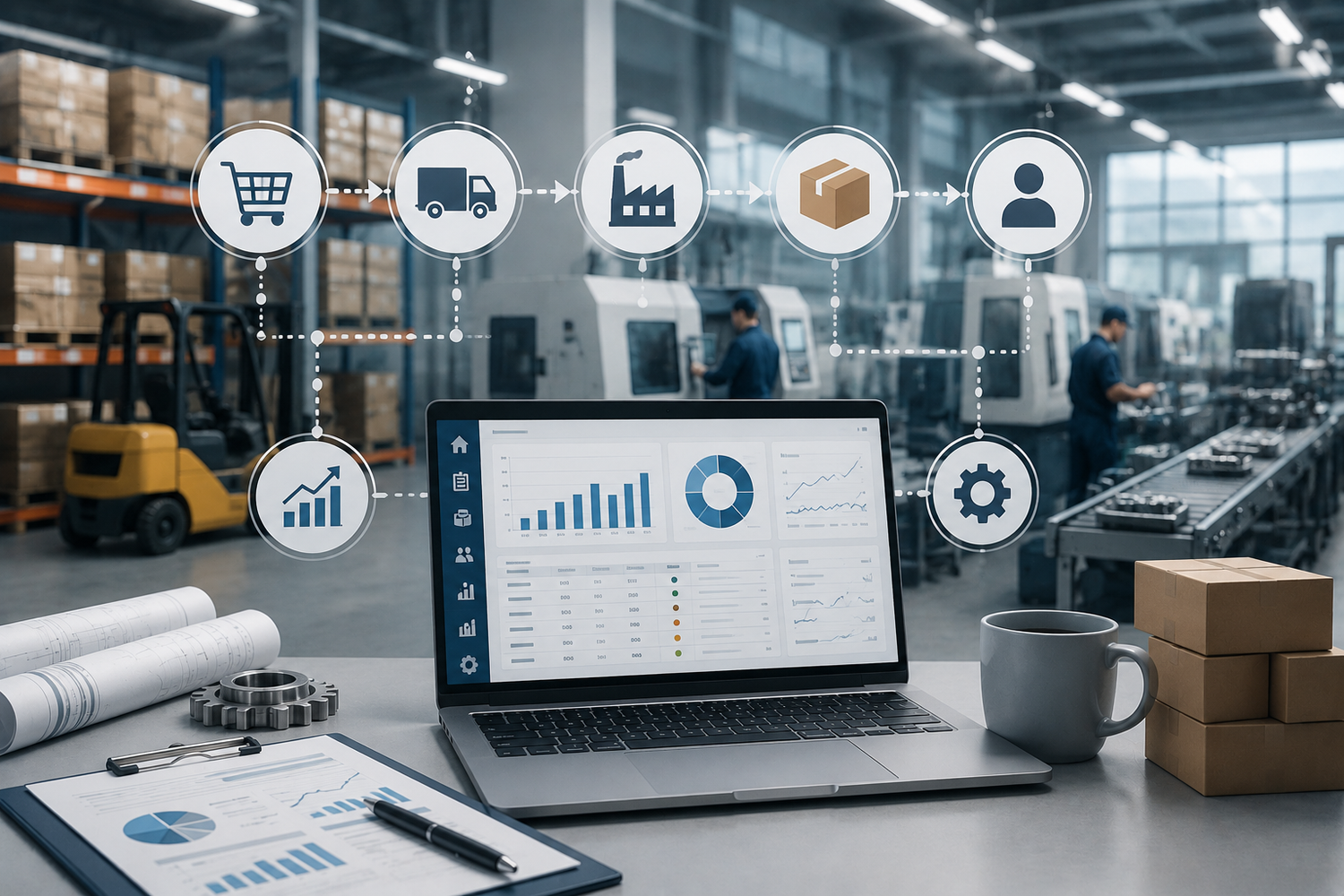
1. When ERP Starts Getting in the Way of Business
A manufacturing company needs an ERP system when spreadsheets, paper records, and manual control can no longer handle the real workload. The number of orders grows, materials move between warehouses and production areas, managers are responsible for deadlines, accounting handles documents and finances, and the business owner needs to see the full picture without constantly asking employees for updates.
This is usually the moment when a company starts looking for a system to automate manufacturing. And very often the choice is made based on the idea that the more features an ERP has, the better it will support future growth.
In practice, this is not always true. A large ERP system may be powerful, but if its logic does not match the real scale of the business, it starts making daily work harder instead of easier. The team spends time not on fulfilling orders, but on filling in unnecessary fields, searching for the right reports, and maintaining processes that bring no practical value.
An ERP system for small and medium-sized manufacturing businesses should strengthen processes, not force the business to serve the system itself.
1.1. The System Is Too Bulky for the Actual Scale of the Business
Many ERP systems were designed for large companies with separate departments for planning, procurement, production, quality control, financial analysis, HR, logistics, and system administration.
In small and medium-sized manufacturing businesses, things work differently:
- one person may manage orders, control payments, and communicate with customers at the same time;
- the accountant often combines financial accounting, management reporting, and part of operational control;
- the owner needs to quickly see the status of orders, inventory, debts, and cash without a separate analyst;
- the production floor needs a clear list of tasks and materials, not a complex administrative procedure;
- the warehouse needs to see available stock, reserved quantities, and expected receipts without manual recalculations.
If an ERP requires users to fill in dozens of fields, create unnecessary documents, go through excessive approvals, and maintain directories that no one analyzes, automation turns into an additional workload.
For manufacturing businesses, this is especially critical. An error in material accounting, reservations, cost calculation, or deadlines quickly affects not only reports, but also real orders, procurement, production schedules, and cash flow.
1.2. More Reports Do Not Mean More Control
An ERP can generate dozens of reports, charts, dashboards, and analytical panels. In a presentation, this looks like an advantage. But in real work, a large amount of data does not always create clarity.
Manufacturing businesses do not need every possible number. They need the indicators that support daily management decisions:
- what needs to be purchased to fulfill current orders;
- which orders are delayed and why;
- where materials or components are missing;
- what the actual cost of finished goods is;
- which materials are reserved and which are available for use;
- where money is located in the operating cycle: in raw materials, work in progress, finished goods, or accounts receivable.
If there are many reports but it is unclear which ones should be opened every day, the system creates information noise instead of control. The owner sees many numbers but does not get a simple answer: what is happening in production right now and where a decision is needed.
1.3. A Large Part of the Functionality Is Not Used
Large ERP systems often include complex HR modules, multi-level budgeting, corporate portals, advanced CRM modules, complex approvals, document workflows, project management, and analytics for large organizations.
For a small or medium-sized manufacturer, much of this may be unnecessary. But even unused modules affect daily work:
- they make the interface more complicated;
- they increase the number of settings;
- they increase the risk of errors during implementation and updates;
- they require additional staff training;
- they make the business dependent on consultants and technical specialists.
The problem is not that a large ERP is bad. The problem is that the scale of the system may not match the real processes of the company.
That is why the main question is not “which ERP has more features?”, but which system covers your actual manufacturing processes without unnecessary complexity?
2. Which ERP Features Are Essential for Manufacturing
An ERP for manufacturing should not cover an abstract set of modules. It should cover a specific chain: customer order, material check, reservation, procurement, production, raw material consumption, receipt of finished goods, shipment, payment, cost calculation, and financial result.
If even one part of this chain is managed separately in spreadsheets, messengers, or in the head of a responsible employee, production management remains partly manual.
2.1. Material Accounting Linked to Specific Usage
In manufacturing, materials should not simply be stored in a warehouse. They should be linked to a specific order, bill of materials, production document, operation, and purchase batch.
Without this, typical problems appear:
- raw materials physically exist, but the system shows zero;
- the system shows stock, but it is already reserved for another order;
- part of the material “disappears” between the warehouse and the production floor;
- procurement does not see the real material demand;
- it is impossible to understand which batch was used to produce specific finished goods;
- it is difficult to track which sales are connected to a specific batch of raw materials.
An ERP for manufacturing must clearly distinguish total stock, reserved quantity, available quantity, expected receipts, and actual material usage.
This is the foundation of a proper MRP approach: the system should show not just warehouse balances, but material requirements based on orders, bills of materials, reservations, and future receipts.
2.2. Bills of Materials and Cost Calculations
For manufacturing, maintaining a product catalog is not enough. The company needs to describe which materials are used, in what quantities, and according to what production logic.
A bill of materials should answer key questions:
- which materials are required for one unit of finished goods;
- what planned quantity of materials is included in production;
- which expenses are included in the cost;
- whether there are different product variants, modifications, or configurations;
- what the planned product cost is before production starts.
Without bills of materials, an ERP cannot properly calculate material requirements, planned cost, reservations, and deviations between plan and actual results.
For small and medium-sized manufacturers, it is important that the bill of materials is flexible enough, but does not turn into a complex engineering system that only a dedicated specialist can maintain.
2.3. A Clear Order Route
In manufacturing, the greatest pressure often comes not from a lack of customers, but from a lack of transparency in order execution.
The manager believes the order is already in progress. Production is waiting for confirmation. The warehouse does not understand whether materials should be reserved. Procurement does not see that some items are missing. The owner learns about the problem only when the customer asks about the delay.
An ERP should define not just a status, but a logical order route:
- Order confirmation — agreed terms, deadlines, volume, prices, and responsible people.
- Material check — the system shows what is in stock, what is reserved, and what needs to be purchased.
- Production planning — the order is assigned to specific production areas or performers.
- Production launch — materials are reserved or consumed according to the defined logic.
- Operation execution — actual work, deviations, defects, or overconsumption are recorded.
- Receipt of finished goods — the result is received into stock.
- Shipment to the customer — linked to the specific order.
- Payment control — the system shows what has been paid, what has been shipped, and what amount remains outstanding.
These stages must be connected. You cannot ship products that are not yet in stock. You cannot launch production if critical materials are missing. You cannot consider an order completed if it is not closed by an actual document.
What an ERP Should Show in Real Time
- the current stage of the order;
- the planned completion date;
- actual dates of key operations;
- the responsible manager, production area, or performer;
- material availability;
- reservations for the order;
- the reason for delay, if one appears;
- the link between the order, production, shipment, and payment.
This is not decorative information. It helps quickly answer why an order has not been launched, where exactly the delay occurred, and which orders are at risk of missing their deadlines.
2.4. Control of Actual Material Usage
Planned calculation and actual material consumption are different things.
An ERP should show:
- how much material was included in the bill of materials;
- how much material was reserved;
- how much was actually consumed;
- where overconsumption occurred;
- where defects appeared;
- how the deviation affected the cost of finished goods.
Example.
A production batch requires 520 kg of material according to the standard. In reality, 590 kg was consumed.
If this difference is not recorded, it gradually becomes the “normal” level. After several months, the company loses money not because of the market, but because of the lack of accurate control over production deviations.
A proper ERP does not simply consume materials. It helps show where planned cost diverged from actual cost, which products became more expensive to manufacture, and which processes need to be reviewed.
2.5. Cost of Finished Goods
Cost is one of the most important indicators for a manufacturing business. If it is calculated manually or approximately, the company does not understand the real margin of its products.
An ERP for manufacturing should help track:
- planned cost based on the bill of materials;
- actual cost after material consumption;
- expenses included in production;
- deviations between plan and actual results;
- sales profitability based on real cost.
Without this, a company may sell products with visible profit while actually losing money because of overconsumption, changing purchase prices, defects, or incorrectly allocated production expenses.
2.6. Production Area Workload
An ERP should show not only the fact of completion, but also the future production workload:
- how many orders are planned for a specific production area;
- the amount of work in hours, shifts, or operations;
- which tasks have already been completed;
- where a queue is forming;
- which orders may delay the next stages;
- whether production capacity is sufficient for the current order volume.
Without this, some production areas remain idle while others work under constant pressure, and delivery dates become unpredictable.
Small and medium-sized manufacturers do not always need complex APS planning. But they do need a clear picture: what is currently in progress, what is waiting to start, where the bottleneck is, and which orders may be delayed.
2.7. Batch Traceability from Raw Materials to Sales
For many manufacturers, it is important to know not only how much material was used, but also which exact batch it came from and which finished goods it went into.
Batch accounting helps answer the following questions:
- which batch of raw materials was used to produce specific finished goods;
- which production documents used a certain material batch;
- which customers received products made from a specific batch;
- where the remaining stock of a specific batch is located;
- how cost changed depending on purchase batches.
This is especially important for food production, cosmetics, chemicals, electronics, components, products with warranty obligations, and any business where traceability is required.
2.8. Money Linked to Real Operations
For small and medium-sized manufacturers, seeing the bank account balance is not enough. It is important to understand exactly where the money is located within the operating cycle.
An ERP should show:
- how much money is invested in raw materials that have already been purchased but not yet used;
- how much money is tied up in work in progress;
- the value of finished goods stored in the warehouse;
- which orders have been shipped but not yet paid;
- which payments have already passed through Cashflow;
- which expenses have already affected P&L and which are still reflected only in cash movement.
This level of detail helps show not just turnover, but the structure of funds: where they are working, where they are fixed, and where repayment is delayed.
For the owner, this means making decisions not simply based on whether there is money in the account, but based on real working capital management.
3. Which ERP Features Often Turn Out to Be Unnecessary
Not every feature that looks useful in a presentation is actually needed in practice. For small and medium-sized manufacturers, unnecessary functionality is dangerous because it complicates implementation, overloads the team, and distracts from key processes.
3.1. Complex Approvals
For medium-sized manufacturing businesses, a clear sequence of actions and understandable access rights are often enough. If the system requires three levels of order approval, separate confirmation of every material write-off, and additional roles for every operation, the process slows down.
Control is necessary, but it should not turn into bureaucracy. If an approval does not reduce risks or help make decisions, it only creates delays.
3.2. Excessive Directories and Classifications
If the system contains dozens of classifications that no one uses in analysis, this is not flexibility — it is unnecessary workload.
For example, a company may not need a complex hierarchy of warehouse types, internal categories, responsibility centers, or analytics if no one makes decisions based on that data.
Every field should answer a specific question. If there is no question, the field is unnecessary.
3.3. Reports “Just in Case”
The system should not become an archive of reports that are opened once a year. It is better to have fewer reports, but ones that are actually used for daily management.
Manufacturing companies usually need:
- stock and reservations;
- material requirements;
- order status;
- actual cost;
- batch movement;
- Cashflow and P&L;
- customer and supplier debts;
- production area workload.
If a report does not help make a decision, it does not strengthen management — it only increases information noise.
3.4. Overly Complex Planning
Many ERP systems offer complex planning tools that are suitable for large factories with multi-level production cycles. But for small and medium-sized manufacturers, this level of detail is often unnecessary at the start.
If the company does not yet have stable bills of materials, time standards, discipline in entering actual data, and a clear order structure, complex planning will not solve the problem. First, the basic processes need to be put in order.
4. Common Mistakes When Implementing ERP
- Choosing the system first and then adjusting processes to it. As a result, the business starts working according to the logic of the software, not its own operational logic.
- Launching everything at once. Warehouse, production, finance, payroll, CRM, and analytics implemented simultaneously create excessive workload for the team.
- Transferring chaos into a new system. If old processes are not reviewed, ERP simply turns chaos into digital chaos.
- Evaluating the system based on a presentation. A demo may look good, but the real test starts only with the company’s actual scenarios.
- Not assigning responsible people. If it is unclear who maintains directories, who controls documents, and who is responsible for data quality, the system quickly fills with errors.
- Ignoring team training. Even a convenient ERP requires an explanation of its logic; otherwise, employees continue thinking in old spreadsheets.
5. A Practical Approach to Choosing ERP for Manufacturing
Choosing an ERP is not just choosing software. It is a decision about how the company will operate in the coming years.
That is why the system should be evaluated not by the number of modules, but by how well it helps manage the real manufacturing cycle: from order and material procurement to finished goods, shipment, payment, and financial result.
Step 1. Identify Real Points of Tension
Start not with a list of modules, but with specific problems:
- where delays occur;
- where information is constantly clarified manually;
- where data is duplicated;
- where the process depends on one person;
- which indicators are difficult to obtain quickly;
- where errors most often occur in stock, reservations, cost, or payments.
This is the real foundation for ERP requirements.
Step 2. Test the System on Real Scenarios
Scenario |
What to Check |
|---|---|
Creating an order with several items |
Whether it is convenient to add products, deadlines, customer, payment, and responsible people |
Checking stock and reservations |
Whether total stock, reserved quantity, available quantity, and expected receipts are visible |
Creating a production document |
Whether bills of materials, materials, planned quantities, and cost are pulled automatically |
Consuming materials |
Whether actual usage and deviations from the plan can be recorded |
Receiving finished goods |
Whether cost and finished goods stock are calculated correctly |
Partial shipment |
Whether the link to the specific order is preserved |
Defects or overconsumption |
Whether there is a clear adjustment mechanism without manual chaos |
Payment control |
Whether it is clear which orders are paid, partially paid, or overdue |
Financial result analysis |
Whether Cashflow, P&L, debts, expenses, and profitability are visible |
Step 3. Evaluate the “Benefit / Workload” Ratio
Every module should have a clear answer to three questions: why it is needed now, who will use it every day, and what decision will be made based on this data.
If there is no answer, the module should not be launched at the start. ERP should grow together with the company, not impose an excessive structure from day one.
Step 4. Pay Attention to Manufacturing Specialization
Many universal systems work well in trade but do not fully support manufacturing logic:
- no deep batch accounting;
- difficult setup of bills of materials;
- no convenient control of actual material consumption;
- difficult tracking of finished goods cost;
- no proper traceability from raw materials to sales;
- production exists separately from warehouse, sales, and finance.
When choosing an ERP for Ukrainian manufacturing, it is worth considering systems that support not only warehouse and sales, but also production documents, batches, VAT, settlements, Cashflow, P&L, payroll, and the real work of Ukrainian legal entities and private entrepreneurs.
One such solution is Skynum. The platform is focused on small and medium-sized businesses and is built around real processes: orders, warehouse, production, materials, batches, finance, VAT, payroll, and integrations.
Importantly, Skynum does not reduce manufacturing to an abstract module. In the system, the production process is connected with bills of materials, material consumption, receipt of finished goods, cost, warehouse stock, orders, and financial indicators.
For manufacturing, it is important not just to “have an ERP”, but to have a system where warehouse, production, sales, and money work as one process.
Step 5. Implement Gradually
Even the right ERP can create workload if everything is launched at once.
A more rational approach is to move step by step:
- first launch the warehouse, product catalog, and basic documents;
- then connect customer orders, reservations, and payment control;
- next, add bills of materials, cost calculations, and production;
- after that, implement batch accounting, traceability, MRP, and production area workload;
- then add analytics, Cashflow, P&L, payroll, and additional integrations.
This approach helps adapt the team, avoid breaking current operations, and gradually turn the business into a manageable digital process.
6. Conclusion
An ERP for small and medium-sized manufacturing businesses does not need to be as large as possible. It needs to be deep enough to control materials, orders, production, cost, and money, but without unnecessary layers of complexity.
The right ERP system:
- matches the real scale of the business;
- does not overload employees with unnecessary actions;
- shows the movement of materials and orders in real time;
- helps control actual cost;
- connects production operations with warehouse, sales, and finance;
- gives the owner a clear picture of Cashflow, P&L, debts, and stock;
- allows automation to be implemented gradually.
Choosing an ERP is not a race for the maximum number of features. It is a search for the right balance between accounting depth, daily usability, and the real needs of manufacturing.
This balance is what allows the system to become not another obligation for the team, but a reliable foundation for stable operations, control, and business growth.